
#Disclaimer
I purchased this product with my own funds. All opinions expressed in this review are my own and are not influenced by the manufacturer. I strive to provide an honest and unbiased assessment of the product.
#Introduction
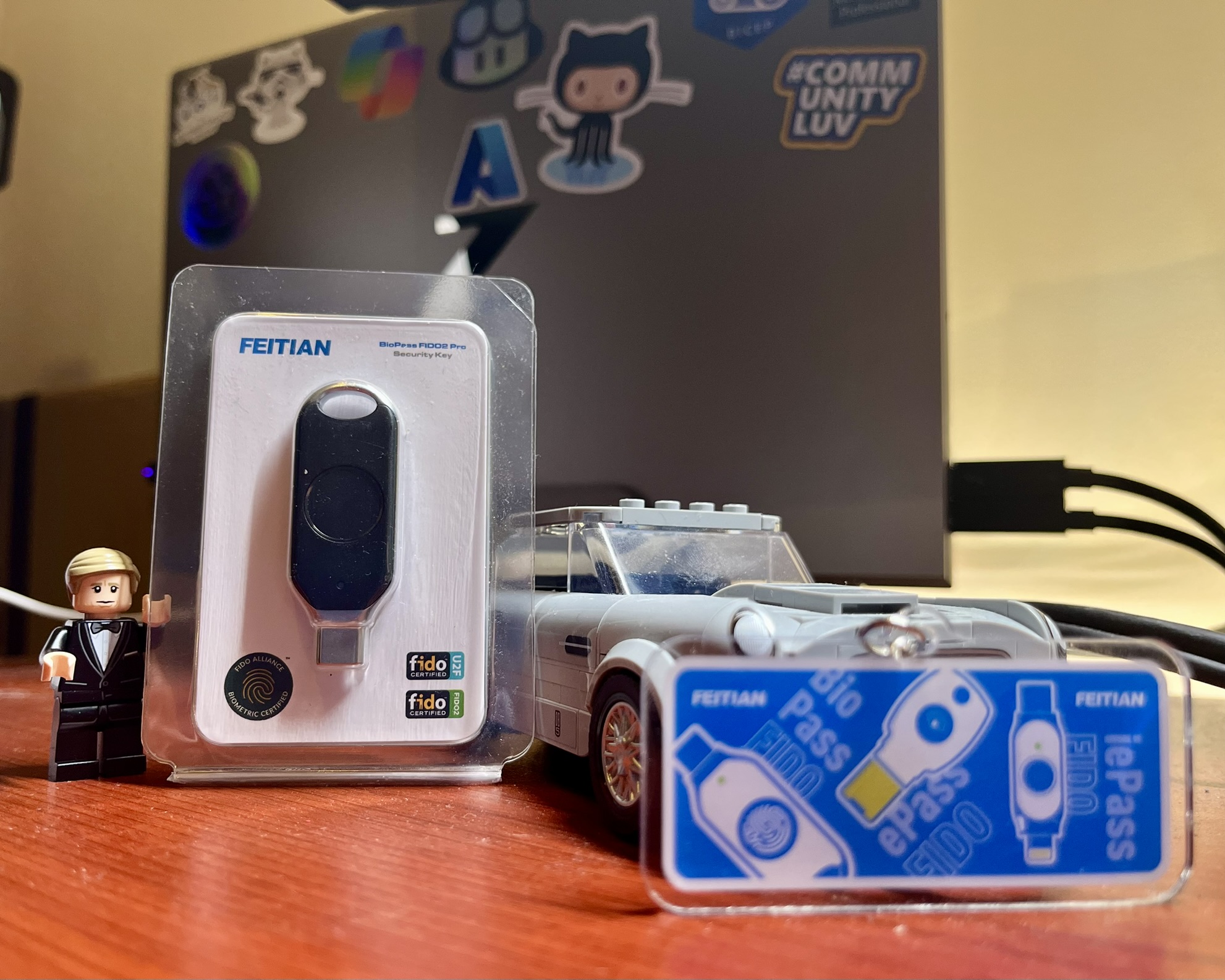
The BioPass FIDO2 K-49 is a USB-C biometric security key manufactured by Feitian Technologies. Building on the success of the K-40 model (which I reviewed previously — see my Feitian FIDO2 Security Key Review), the K-49 brings biometric fingerprint authentication to the table, adding an extra layer of security and convenience to the FIDO2 passwordless experience.
#Features
The K-49 packs several noteworthy features into its compact form factor:
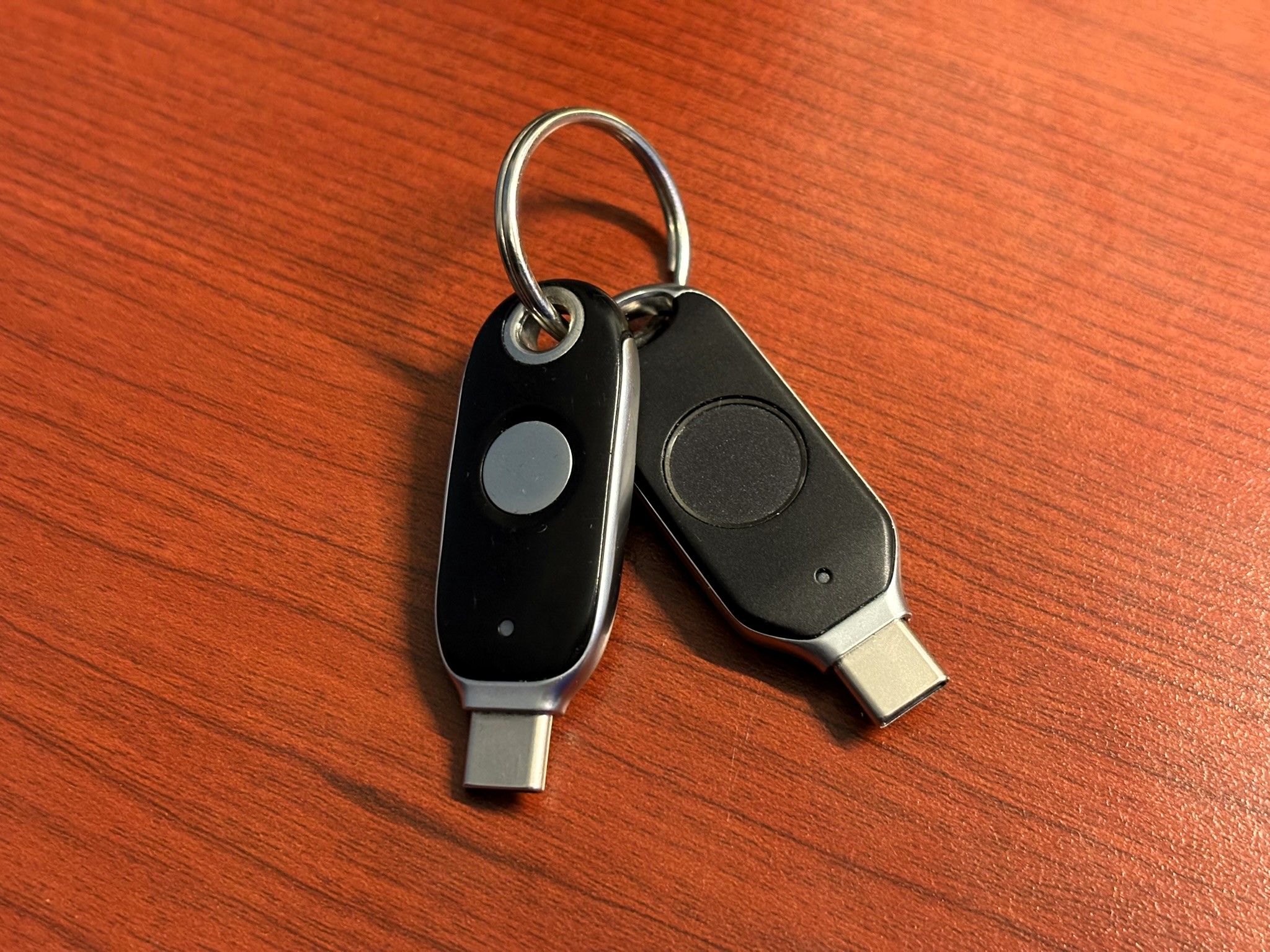
- Fingerprint sensor — Built-in capacitive fingerprint reader that stores up to 50 fingerprints on-device
- USB-C connector — Modern USB-C connection compatible with laptops, desktops, and mobile devices that support USB-C
- FIDO2/WebAuthn support — Full compliance with FIDO2 and WebAuthn standards for passwordless authentication
- FIDO U2F support — Backward compatible with FIDO U2F for second-factor authentication
- Durable design — Sturdy build quality with a metal housing that feels premium in the hand
- LED indicator — Status LED that indicates when the key is ready for authentication
#Pros
- Biometric authentication — The fingerprint sensor adds a significant layer of security. Instead of relying solely on a PIN, you can authenticate with your fingerprint, making it faster and more secure.
- USB-C connectivity — The USB-C connector is a welcome addition, making it compatible with modern devices without needing adapters.
- On-device fingerprint storage — Fingerprint data is stored securely on the device itself and never transmitted to the host computer, ensuring privacy.
- Solid build quality — The metal housing gives the key a premium feel and should withstand daily use and travel.
- Easy fingerprint enrollment — Setting up fingerprints is straightforward using the Feitian BioPass FIDO2 Manager application.
- Fast authentication — The fingerprint reader is responsive and quick, making the authentication process seamless.
#Cons
- No NFC support — Unlike some competing keys, the K-49 does not support NFC, which limits its use with mobile devices that do not have USB-C ports.
- Higher price point — The biometric capabilities come at a premium compared to non-biometric FIDO2 keys.
- USB-C only — While USB-C is the future, some users may still need USB-A connectivity, requiring an adapter or a different key.
- Fingerprint enrollment software — The BioPass FIDO2 Manager application, while functional, could use a more polished user interface.
#Comparison with K-40
If you have read my review of the Feitian ePass K-40, you might be wondering how the K-49 stacks up. Here is a quick comparison:
| Feature | K-40 | K-49 |
|---|---|---|
| Biometric (Fingerprint) | ❌ | ✅ |
| USB-C | ✅ | ✅ |
| NFC | ✅ | ❌ |
| FIDO2/WebAuthn | ✅ | ✅ |
| FIDO U2F | ✅ | ✅ |
| Price | Lower | Higher |
| Form Factor | Compact | Slightly larger |
The K-40 wins on NFC support and price, while the K-49 shines with its biometric capabilities. Which one is right for you depends on your priorities — if NFC and mobile support are critical, the K-40 may be the better choice. If biometric security is your top priority, the K-49 is the way to go.
#Conclusion
The BioPass FIDO2 K-49 is a solid biometric security key that delivers on its promise of enhanced security through fingerprint authentication. The USB-C connector ensures compatibility with modern devices, and the on-device fingerprint storage provides peace of mind regarding privacy.
However, the lack of NFC support is a notable omission, especially for users who rely on mobile authentication. The higher price point also means it is not the most budget-friendly option.
Overall, if you are looking for a biometric FIDO2 key with USB-C connectivity and are willing to trade NFC support for fingerprint authentication, the K-49 is an excellent choice. For those who need NFC, I would recommend looking at the K-40 or other alternatives that offer both biometric and NFC capabilities.