
I saw Logitech’s Copilot integration and wanted something equivalent for Stream Deck.
I didn’t find it. So I built one.
GitHub’s announcement, The next developer interface is ambient intelligence, explores physical controls as a way to stay in flow. That was my starting point.
Now there’s project browsing, session controls, agent monitoring and a Copilot that sweats when its context gets full.
Also confetti.
I will not lie, the scope has become rather different from where it started!
It’s called Copilot Companion for Stream Deck. It connects a 15-key Stream Deck to the existing GitHub Copilot desktop app, showing the sessions already there rather than running another agent runtime.
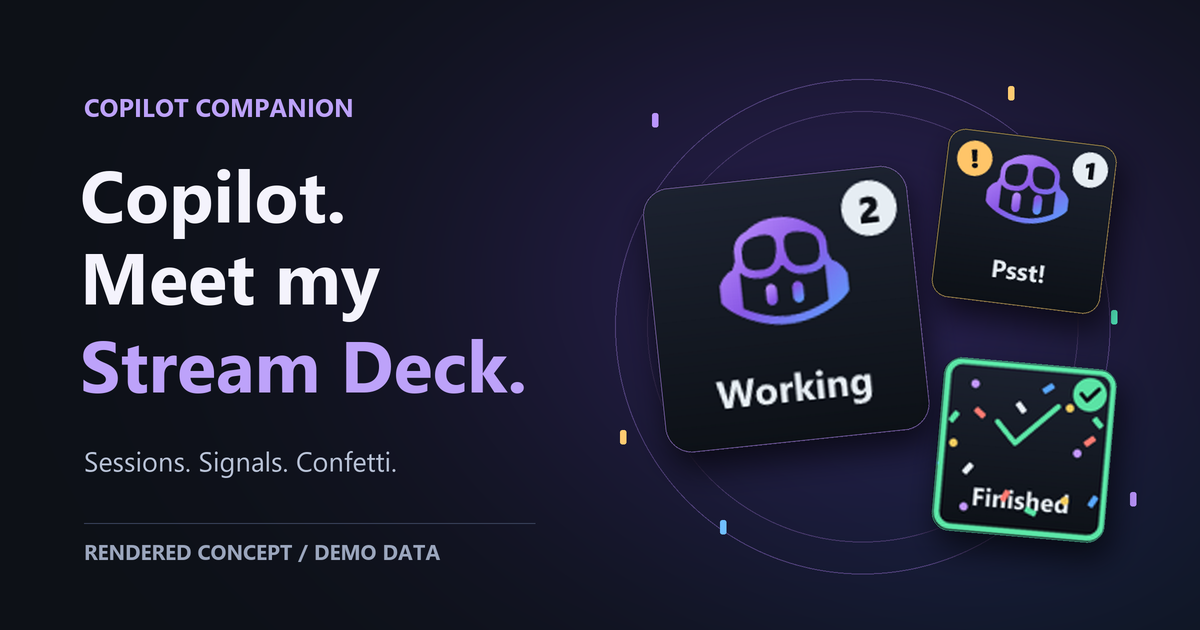
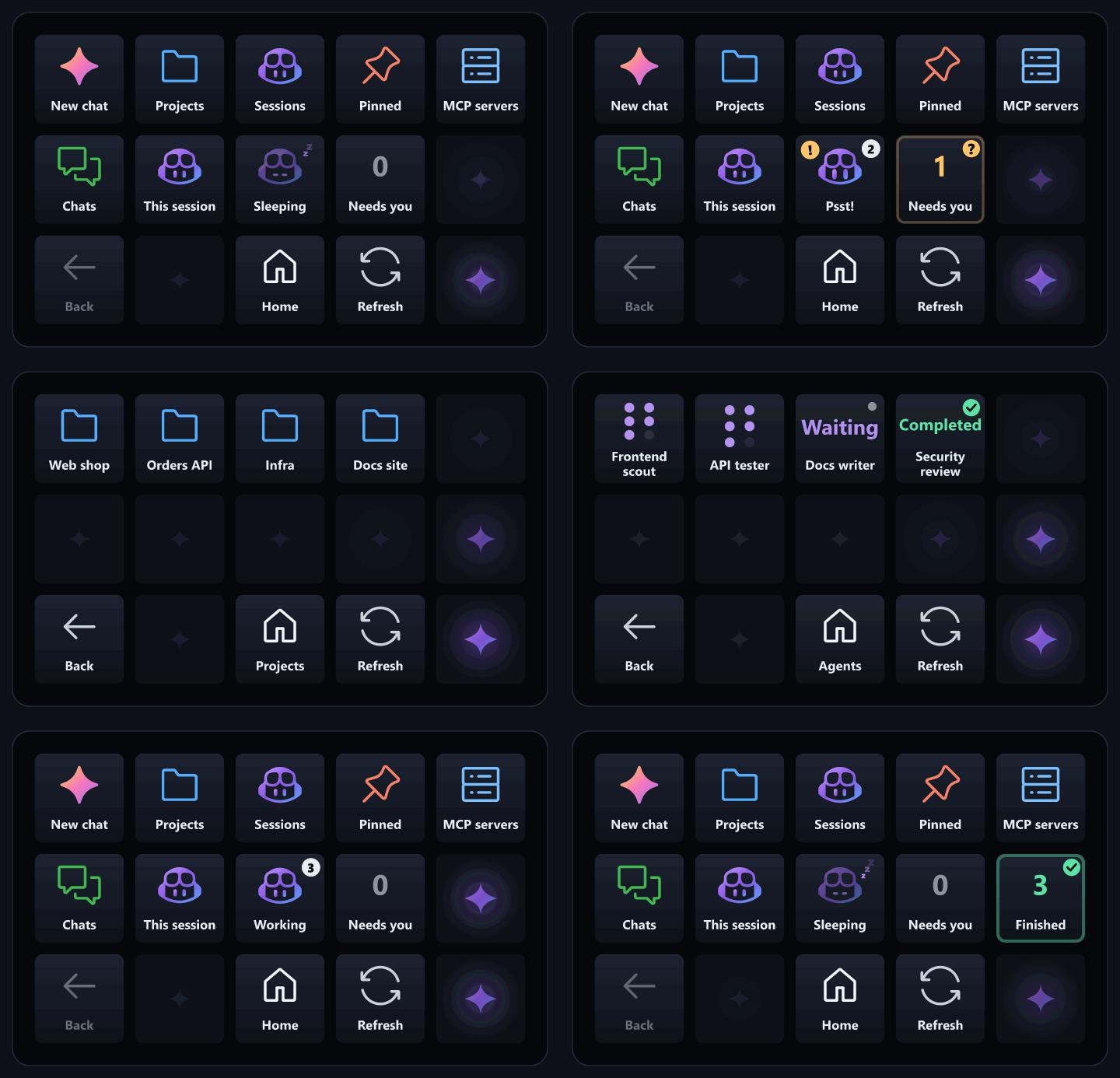
#Fifteen keys, quite a lot going on
The useful part starts with finding your work.
The deck lets you browse projects and sessions, then open a session in the app. Child sessions sit under their parent.
The home view separates Working, Needs you and Finished. One is busy. One is waiting for you. One has finished working.
Giving those states their own keys makes the distinction visible. I can find the waiting session without checking every conversation.
Then there’s push to talk. Hold the microphone key, speak and release. It needs the app’s voice model installed. Dictation goes to the session active in the app window, not whichever session happens to look interesting on the deck.
Physical buttons are convenient. Sending words to the wrong conversation would be less convenient.
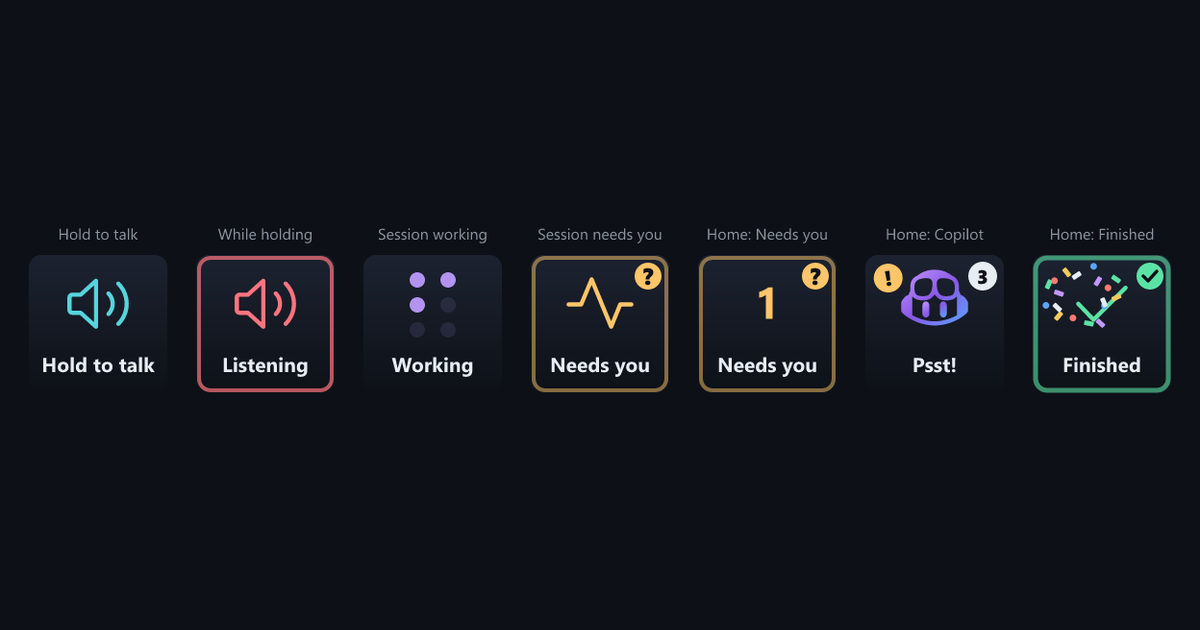
When that active session asks a question with choices, the deck can put those choices on keys. Pressing one sends the answer. If the question allows free text, Type answer moves focus back to the app.
#Naturally, Copilot needed moods
The plugin has a status display. It also has a small personality.
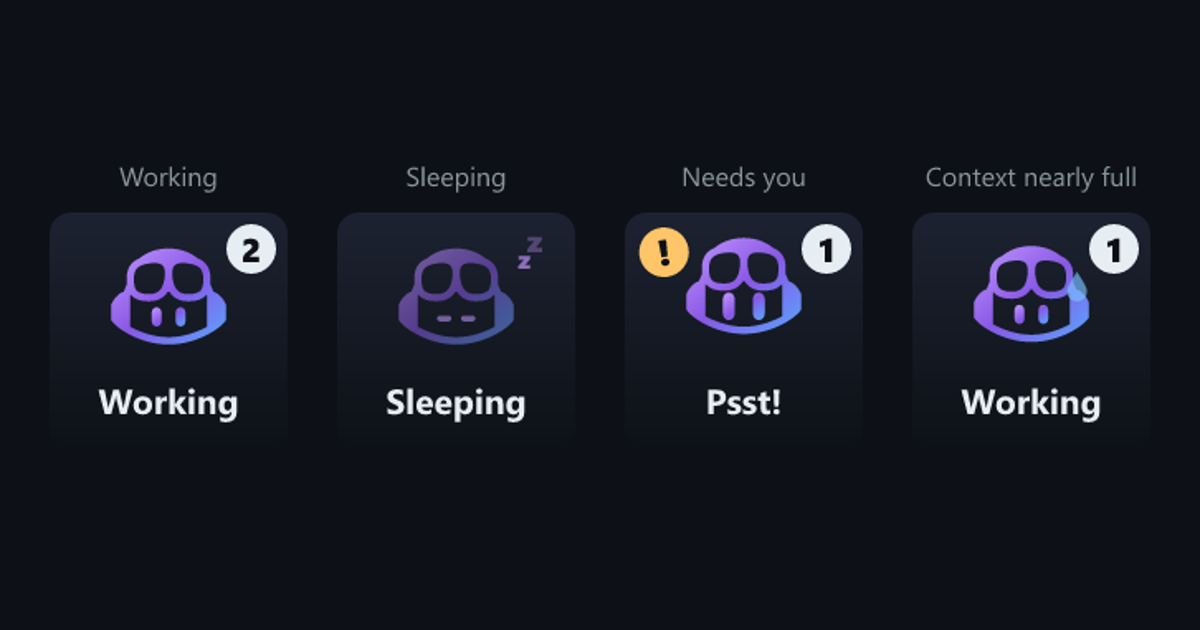
When sessions work, Copilot looks around and blinks. When nothing runs, it sleeps. When something needs attention, it hops with an exclamation mark and a Psst!
And when context passes 85%, it gets a sweat drop.
Context is the working space available to the model for a request. The session view shows its use as a ring, turning amber from 60% and red from 85%. The sweat drop adds a slightly less formal interpretation of the same situation.
Then there’s the confetti. When a session finishes working, its key fires a few bursts before settling into the green Finished flash. You can see that celebration at the end of the animation above.
Is confetti a requirement for an AI companion? No.
Does a finished session deserve a small celebration? I think there’s a reasonable case.
Reduced motion skips the confetti and keeps the animated details calmer. The status still matters more than the decoration.
Somewhere along the way, my Logitech inspiration became a project with a sleeping Copilot and context anxiety.
#Of course there’s a Squad view
We already have Squad here on the blog. Our team has names and roles. Seeing that same idea on the deck feels like a natural fit.
The companion’s Agents page shows a session’s runtime subagents. You can open an agent to see its status, type, model and active time when the runtime provides those details.
For Squad projects, the bridge reads .squad/team.md in the session’s working folder. It matches runtime task names to team members. Matching agents get their member names, their roles and the Squad logo.
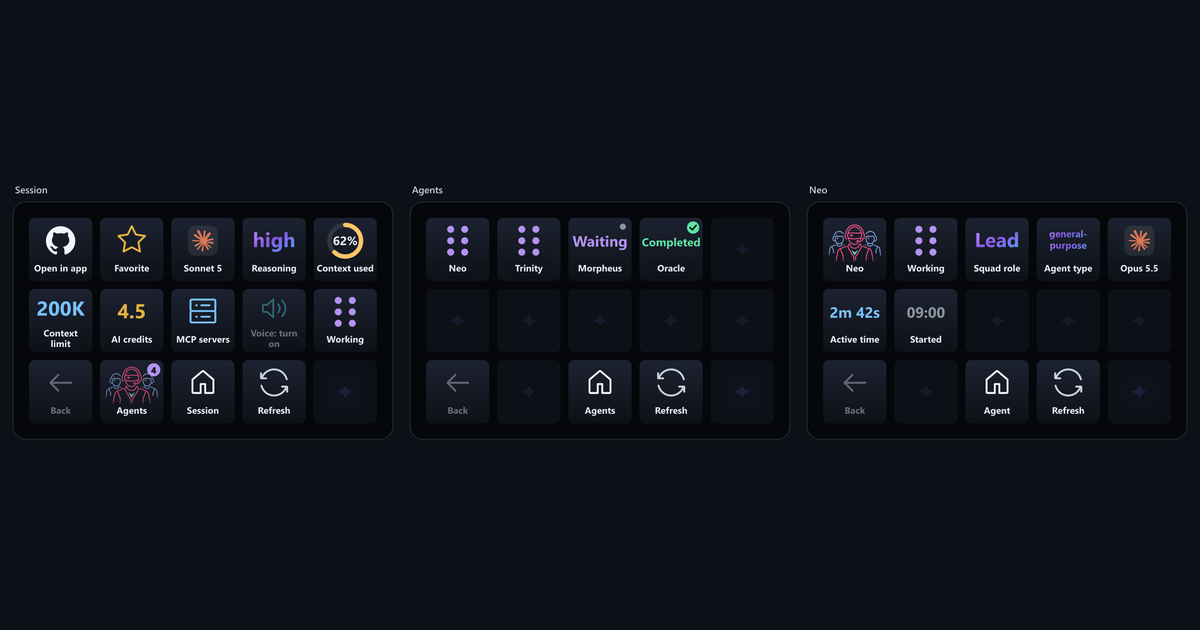
Waiting doesn’t mean the whole task is complete. A multi-turn agent can finish a response and wait for more input. The deck keeps that separate from Completed.
Fifteen keys are enough for a little team window. They aren’t a substitute for reading what the team actually did.
#The less flashy part makes it useful
Underneath the faces and confetti are two connections.
The app’s experimental Companion device integration supplies sidebar navigation, questions, voice and live metrics for the active session. An optional session bridge, an extension running inside a session’s runtime, adds deeper session controls and agent monitoring.
The bridge uses authenticated local loopback traffic, without GitHub credentials in Stream Deck or mouse automation. Copilot’s model inference isn’t necessarily local.
There are limits worth knowing:
- Answering questions doesn’t approve plans, tool permissions, commits, pushes or merges. Those checks stay with the app and runtime.
- Agent monitoring is read-only. It needs the bridge and the experimental task-list API, not a standalone Squad CLI.
- A stopped runtime means a stopped bridge, even if the conversation stays visible. Navigation and status can still work through the app integration. Metrics can fall back to that session’s saved history, not live values.
- Model switching needs the selected session’s bridge. The app’s picker can still show the old model afterward. These experimental APIs depend on the app version.
I like the blinking face. I care more that the numbers mean what they claim to mean.
#A Mac joined the story
v0.3.0, released on October 26, adds macOS support.
A big thank you to Jan Egil Ring (@janegilring) for testing the macOS beta on a Mac mini M4! His feedback helped uncover issues with live values and the bridge pairing path.
He confirmed installation, profile selection, session opening, live metrics, bridge discovery, voice dictation and status changes. Including confetti. The celebration crossed platforms too.
His testing feedback documents that setup.
#From an idea to something you can try
The v0.3.0 release supports Windows and macOS 13 or later, with Stream Deck software 6.6 or later. The supported hardware is the original 15-key Stream Deck or MK.2.
I’d start with the v0.3.0 installation guide. It covers the plugin, the app experiment and the optional bridge. If you add the bridge, matching its release tag to the plugin matters.
The source is on GitHub, under the MIT license. This is an unofficial project, not an official GitHub or Elgato product. The reused renderer visuals retain the project’s asset credits and trademark notices.
I wanted Copilot on my Stream Deck. Now it can show me a team, ask for attention and celebrate when work finishes.
Thank you to everyone helping test and improve it. If you’ve wanted something similar, Copilot Companion is on GitHub.